Nerds Like to Ping

I was debugging a network issue at 2 AM. The college hostel WiFi was being weird again. My SSH session to the remote server kept timing out, but intermittently. Sometimes it worked, sometimes it didn't. Classic network problem.
I did what everyone does first: ping google.com
64 bytes from 142.250.195.46: icmp_seq=1 ttl=117 time=12.4 ms64 bytes from 142.250.195.46: icmp_seq=2 ttl=117 time=11.8 ms64 bytes from 142.250.195.46: icmp_seq=3 ttl=117 time=13.1 msAnd that's when it hit me. How does this even work? I'm getting a response in 12 milliseconds from a server thousands of kilometers away. Not just a response-precise round-trip timing, hop count information, and a guarantee that my packet made it there and back.
No TCP handshake. No protocol negotiation. No ports. Just... instant connectivity verification.
I realized I'd been using this tool for years without understanding the absolute genius behind it. That night turned into a week-long obsession.
Wait, What Protocol is This Even Using?
My first instinct was wrong. I assumed ping must be using UDP or TCP, because those are the transport layer protocols, right? That's what we learned in networking class.
So I fired up Wireshark to see what ping was actually doing:
Internet Protocol Version 4 Protocol: ICMP (1)Internet Control Message Protocol Type: 8 (Echo Request) Code: 0 Checksum: 0x1c3d [correct] Identifier: 0x0001 Sequence Number: 1 Data (56 bytes)Wait. ICMP? Not UDP or TCP?
That's when I started digging into RFC 792, published in September 1981. ICMP uses the basic support of IP as if it were a higher level protocol, however, ICMP is actually an integral part of IP, and must be implemented by every IP module.
This is the first genius move: ICMP isn't sitting on top of TCP or UDP. It's a peer to them, living right alongside IP at the network layer. ICMP is a layer 3 protocol in the seven-layer OSI model.
I kept reading and found something even more interesting. RFC 1122 states that "every host must implement an ICMP Echo server." This is mandatory. Every single device on the internet is required to respond to ping. Not optional. Not "should implement." Must.
That's when I realized: ping doesn't need any server software running. No daemon listening on a port. The operating system kernel itself is required to respond. You're pinging the network stack directly.
The Elegant Simplicity of Type 8 and Type 0
Let me show you what an ICMP Echo Request actually looks like. This is from RFC 792:
Type 8 for echo message; 0 for echo reply message.
That's it. The entire protocol for ping is:
- You send a packet with Type 8 (Echo Request)
- Remote host sends back Type 0 (Echo Reply)
But here's what makes it brilliant. Look at the packet structure:
0 1 2 3 0 1 2 3 4 5 6 7 8 9 0 1 2 3 4 5 6 7 8 9 0 1 2 3 4 5 6 7 8 9 0 1+-+-+-+-+-+-+-+-+-+-+-+-+-+-+-+-+-+-+-+-+-+-+-+-+-+-+-+-+-+-+-+-+| Type | Code | Checksum |+-+-+-+-+-+-+-+-+-+-+-+-+-+-+-+-+-+-+-+-+-+-+-+-+-+-+-+-+-+-+-+-+| Identifier | Sequence Number |+-+-+-+-+-+-+-+-+-+-+-+-+-+-+-+-+-+-+-+-+-+-+-+-+-+-+-+-+-+-+-+-+| Data ...+-+-+-+-+-The identifier and sequence number may be used by the echo sender to aid in matching the replies with the echo requests.
This is beautiful. The Identifier field lets you track which ping process sent the request (useful when multiple programs are pinging simultaneously). The Sequence Number increments with each request, so you can detect packet loss, reordering, or duplication.
But the real genius? The data received in the echo message must be returned in the echo reply message.
The remote host doesn't interpret the data. Doesn't process it. Just echoes it back. This means ping can embed a timestamp in the data section, send it, and when it comes back, calculate the exact round-trip time by comparing the timestamp with the current time.
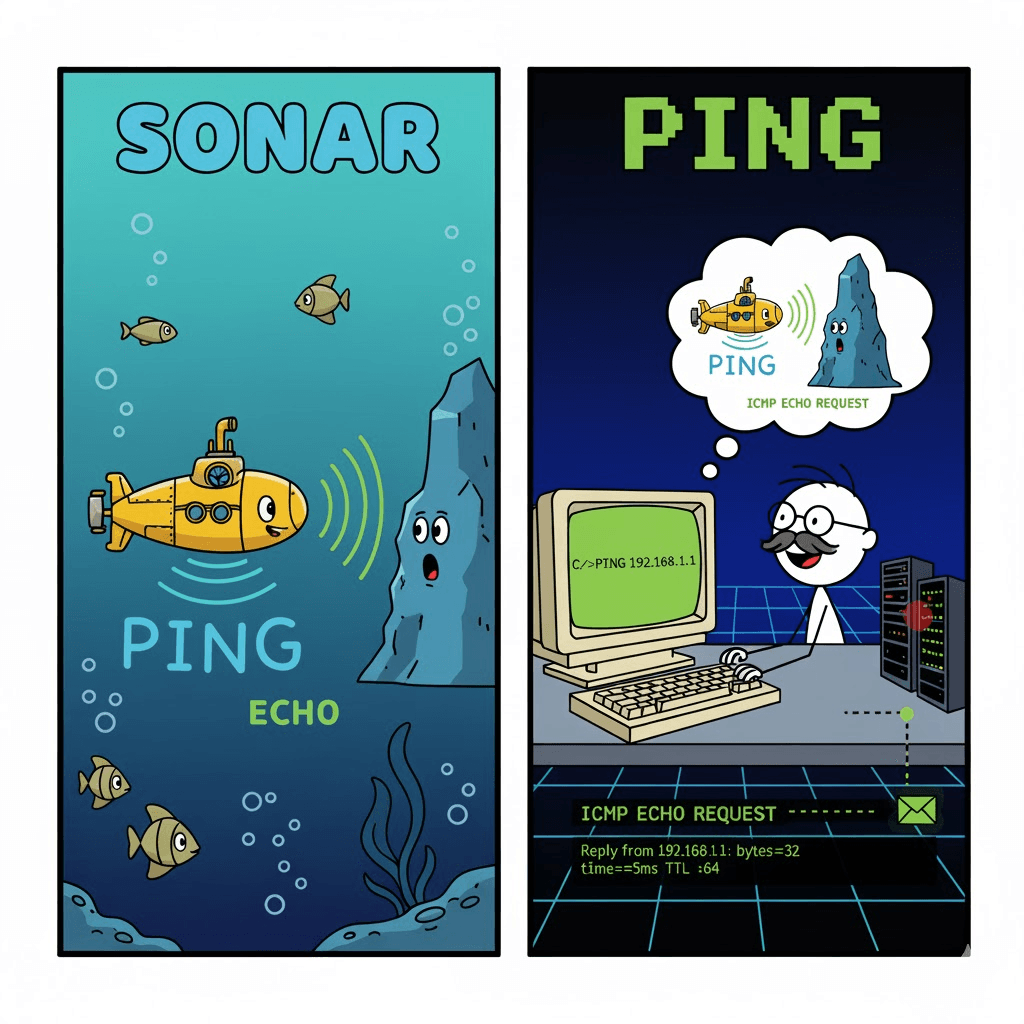
Mike Muuss wrote ping in December 1983 while working at the Ballistic Research Laboratory. He named it PING, based on the sound of sonar. Much like the way sonar emits pulses of sound and listens for echoes to determine the distance between objects in or under the water's surface, PING uses timed IP/ICMP ECHO_REQUEST and ECHO_REPLY packets to determine if a target machine is responding and how long it takes to respond.
Muuss wrote a program that he named PING in a thousand lines of code that evening, and the network problem was solved before he could send his first PING but his efforts were not in vain.
Building a Raw Socket Ping to See It For Real
Reading specs is one thing. Actually implementing it is where it clicks. I needed to see this work at the packet level.
Here's what I built-a minimal ping implementation using raw sockets in C:
#include <stdio.h>#include <stdlib.h>#include <string.h>#include <sys/socket.h>#include <netinet/ip_icmp.h>#include <netinet/ip.h>#include <arpa/inet.h>#include <unistd.h>#include <sys/time.h>
// Checksum calculation (16-bit one's complement)unsigned short checksum(void *b, int len) {    unsigned short *buf = b;    unsigned int sum = 0;
    for (sum = 0; len > 1; len -= 2)        sum += *buf++;    if (len == 1)        sum += *(unsigned char *)buf;
    sum = (sum >> 16) + (sum & 0xFFFF);    sum += (sum >> 16);
    return ~sum;}
int main(int argc, char *argv[]) {    if (argc != 2) {        printf("Usage: %s <IP address>\n", argv[0]);        return 1;    }
    // Create raw socket    int sockfd = socket(AF_INET, SOCK_RAW, IPPROTO_ICMP);    if (sockfd < 0) {        perror("Socket creation failed (need root)");        return 1;    }
    struct sockaddr_in addr;    addr.sin_family = AF_INET;    addr.sin_addr.s_addr = inet_addr(argv[1]);
    // Build ICMP packet    char packet[64];    memset(packet, 0, sizeof(packet));
    struct icmphdr *icmp = (struct icmphdr *)packet;    icmp->type = 8;  // ICMP_ECHO    icmp->code = 0;    icmp->un.echo.id = getpid();    icmp->un.echo.sequence = 1;
    // Embed timestamp in data section    struct timeval *tv = (struct timeval *)(packet + sizeof(struct icmphdr));    gettimeofday(tv, NULL);
    // Calculate checksum    icmp->checksum = 0;    icmp->checksum = checksum(packet, sizeof(packet));
    // Send packet    if (sendto(sockfd, packet, sizeof(packet), 0,               (struct sockaddr *)&addr, sizeof(addr)) <= 0) {        perror("Sendto failed");        return 1;    }
    printf("ICMP Echo Request sent to %s\n", argv[1]);
    // Receive reply    char recv_buf[512];    struct sockaddr_in recv_addr;    socklen_t addr_len = sizeof(recv_addr);
    int bytes = recvfrom(sockfd, recv_buf, sizeof(recv_buf), 0,                        (struct sockaddr *)&recv_addr, &addr_len);
    if (bytes > 0) {        // Skip IP header to get to ICMP        struct iphdr *ip_hdr = (struct iphdr *)recv_buf;        int ip_header_len = ip_hdr->ihl * 4;
        struct icmphdr *icmp_reply = (struct icmphdr *)(recv_buf + ip_header_len);
        if (icmp_reply->type == 0) {  // ICMP_ECHOREPLY            struct timeval *sent_tv = (struct timeval *)(recv_buf + ip_header_len + sizeof(struct icmphdr));            struct timeval recv_tv;            gettimeofday(&recv_tv, NULL);
            double rtt = (recv_tv.tv_sec - sent_tv->tv_sec) * 1000.0 +                        (recv_tv.tv_usec - sent_tv->tv_usec) / 1000.0;
            printf("Reply from %s: icmp_seq=%d ttl=%d time=%.2f ms\n",                   inet_ntoa(recv_addr.sin_addr),                   ntohs(icmp_reply->un.echo.sequence),                   ip_hdr->ttl,                   rtt);        }    }
    close(sockfd);    return 0;}
This is what I learned building this:
Raw sockets require root. Only members of the Administrators group can create sockets of type SOCK_RAW. You're bypassing the transport layer and talking directly to the network layer.
The checksum is critical. The checksum is the 16-bit ones's complement of the one's complement sum of the ICMP message starting with the ICMP Type. If you get this wrong, the packet gets dropped silently. No error. Nothing.
When you receive a reply, you get the entire IP header too. That's where the TTL value comes from. The TTL value in the received packet is 255 minus the number of routers in the round-trip path. Every hop decrements the TTL by 1. So TTL=117 means the packet crossed (255-117) = 138 routers? No-most systems set initial TTL to 64 or 128, not 255. But the principle holds.
The sequence number is how you detect packet loss. ping prints the sequence number of each returned packet, allowing us to see if packets are missing, reordered, or duplicated. IP is a best effort datagram delivery service, so any of these three conditions can occur.
Running this code against 8.8.8.8:
$ sudo ./minimal_ping 8.8.8.8ICMP Echo Request sent to 8.8.8.8Reply from 8.8.8.8: icmp_seq=1 ttl=115 time=11.23 msIt works. With 64 bytes of code and zero external dependencies beyond the kernel, I can verify network connectivity to any machine on the planet.
Why This Design is Timeless
Here's what makes ping a masterpiece: it solves exactly one problem, perfectly.
Not "check if a service is running." Not "establish a connection." Just: "Can I reach this IP address, and how long does it take?"
The constraints that made it brilliant:
No state required. Each ping is independent. You can send 1 ping or 1 million. The protocol doesn't care. Ping measures the round-trip time for messages sent from the originating host to a destination computer that are echoed back to the source.
Mandatory implementation. Because RFC 1122 requires all hosts to respond, ping becomes the universal language of network reachability. You don't need special server software. You don't need open ports. If the network stack is alive, ping works.
Built-in packet loss detection. The sequence number automatically tells you if packets are missing or arriving out of order. This is because of the sequence number field that starts at 0 and is incremented every time a new echo request is sent.
RTT measurement by design. By embedding the timestamp in the payload and having it echoed back, you get microsecond-precision round-trip timing without any clock synchronization between sender and receiver.
TTL exposes the path. When TTL reaches 0, routers send back ICMP Time Exceeded messages. This is how
tracerouteworks-it sends packets with incrementing TTL values and watches where the Time Exceeded messages come from. Ping operates by means of Internet Control Message Protocol (ICMP) packets.
Look at the failure modes too. If a host is unreachable, you get an ICMP Destination Unreachable. If a router's queue is full, no response (timeout). If the host is behind a firewall that blocks ICMP, timeout. The failure information is just as valuable as success.
Due to its usefulness, ping has been implemented on a large number of operating systems, initially Berkeley Software Distribution (BSD) and Unix, but later others including Windows and Mac OS X.
The Thing Nobody Teaches You About ping
Every networking textbook shows you the OSI model. Application, Presentation, Session, Transport, Network, Data Link, Physical. They tell you TCP is at layer 4, IP is at layer 3.
But ping breaks that mental model. It's not at layer 4. It's not using TCP or UDP. ICMP differs from transport protocols such as TCP and UDP in that it is not typically used to exchange data between systems, nor is it regularly used by end-user network applications (with the exception of some diagnostic tools like ping and traceroute).
ICMP exists between layers. It's part of IP, but it's also used by IP implementations to send error messages and control information. It's the meta-protocol that lets the network talk about itself.
When you run ping, you're not making a connection. You're asking the network stack itself: "Are you there?" And the network stack replies: "Yes. Here's proof."
That's why it's the first tool everyone reaches for. Not because it does everything. Because it does one thing so well that it became the universal first step in network debugging.
You can't telnet to a host but ping works? Routing issue. Ping works but HTTP doesn't? Application issue. Ping shows 50% packet loss? Network congestion. Ping shows consistent 200ms RTT? That's your baseline. Ping shows variable RTT jumping from 10ms to 500ms? Quality of service problem.
PING turned out to be so useful that it would be implemented in most operating systems and, therefore, in nearly every computer in the world. Mike Muuss wrote this in one evening to debug a network problem. He always said he would have spent more time on it had he known how popular it would become.
But maybe that's the point. The best tools are the ones that solve a problem so cleanly that they become invisible. You don't think about ping anymore. You just use it. And it just works.